
INTELLIGENT COPY TRADING SYSTEM
Follow our signals
automatically in a few steps
Copy our trades in real time with convenience,
security, and full transparency.
How does it work?
After connecting your account, trades are
replicated automatically. You can monitor
everything directly through the platform.
What you need to know
Your account remains under your control throughout
the process. Before starting, check that all
setup steps have been completed correctly.
Choose your broker
Select the broker you want to use to follow our signal.
01
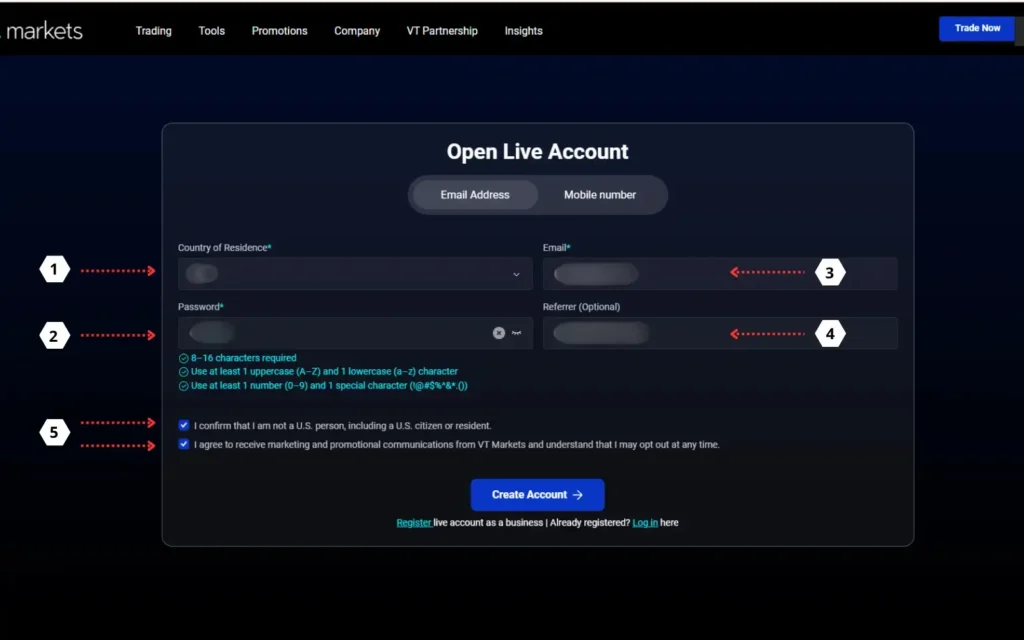
Click the button above to access the broker’s website and complete the fields as shown in the illustration
02
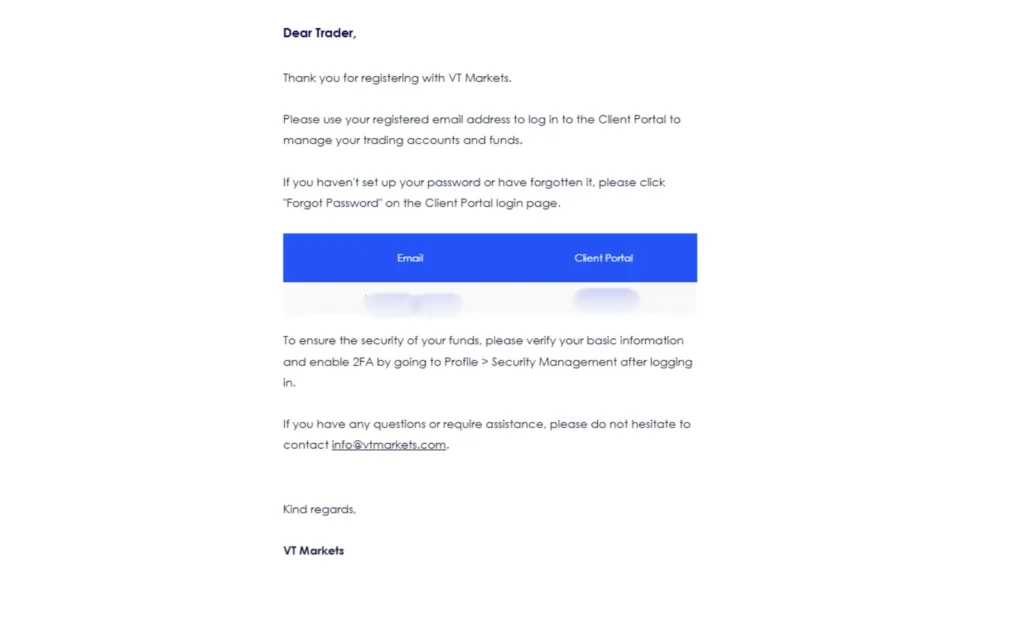
For your information, you will receive an email for each required step completed
03
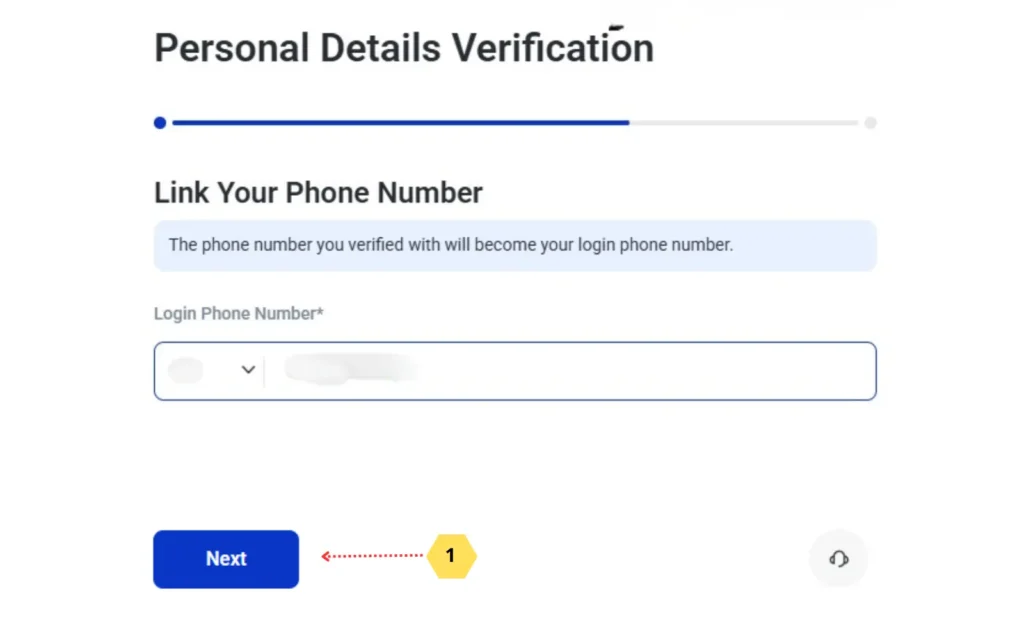
Link your account to your mobile phone number and proceed
04
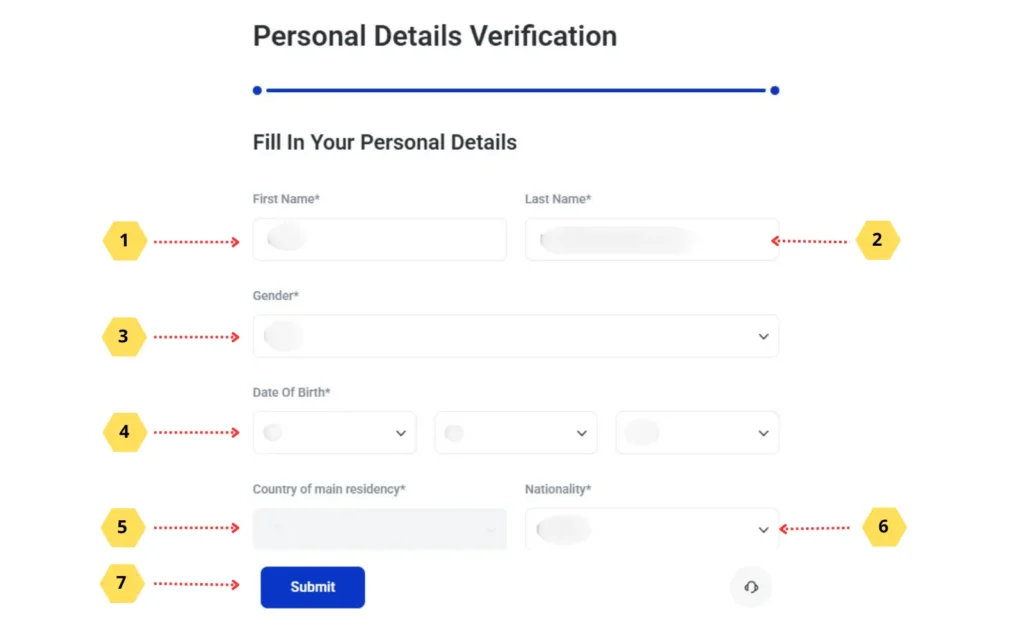
Complete the fields with your personal details and proceed
05
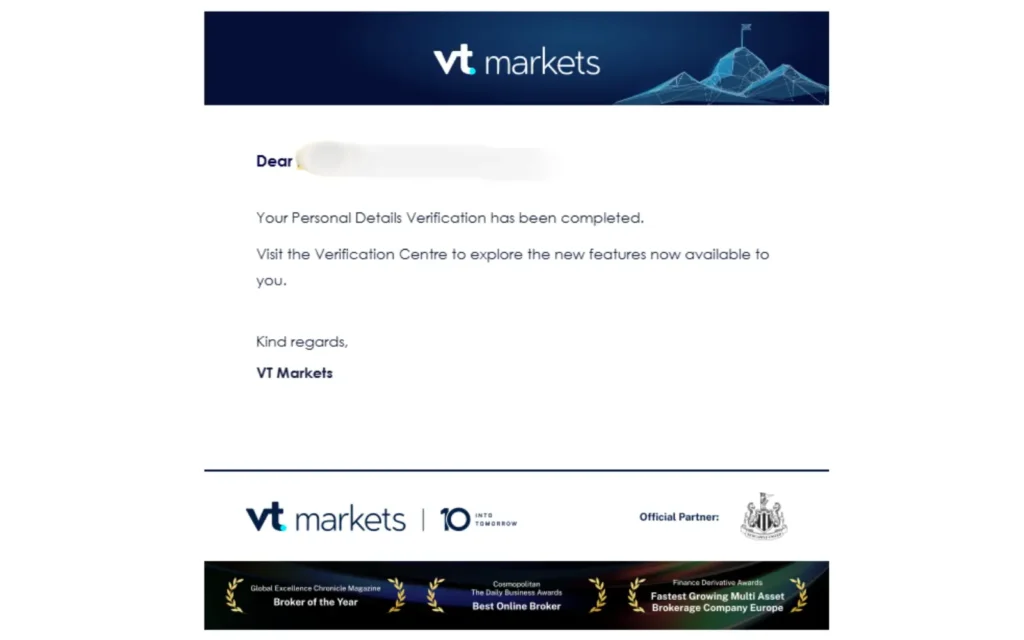
For your information, you will receive an email about user registration
06
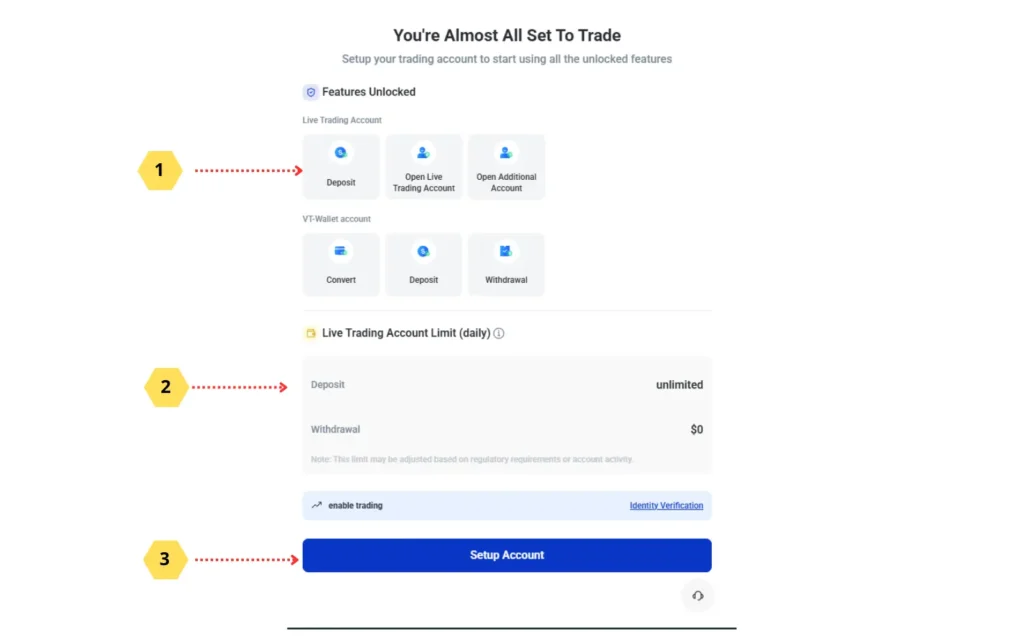
Select how you will make the deposit and proceed
07
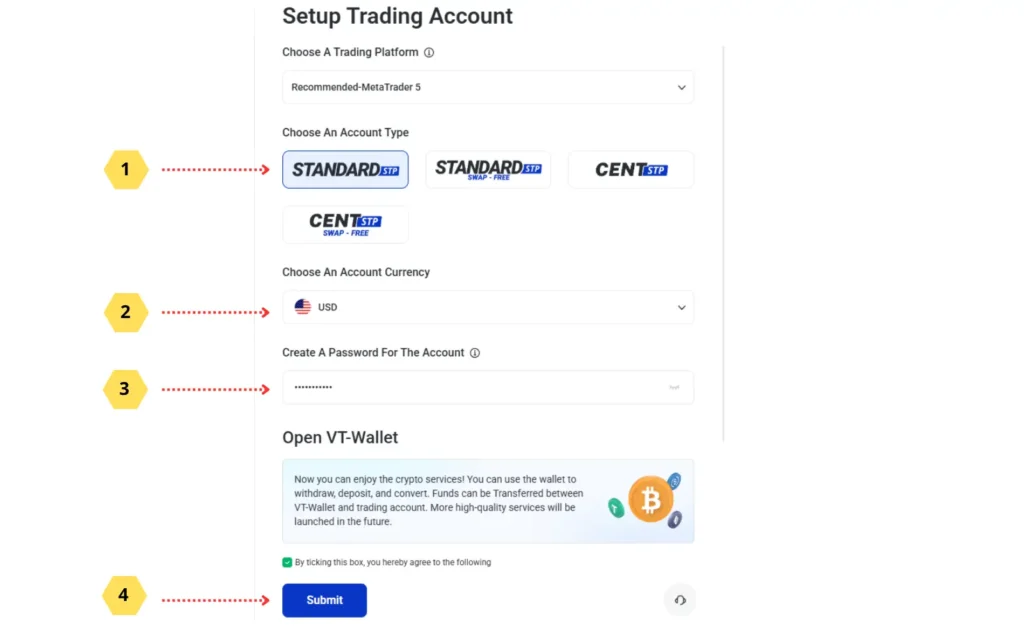
Choose the account type, enter the amount (remembering that the minimum is U$D 10,000.00 or U$ 100.00 U$C), and proceed
08
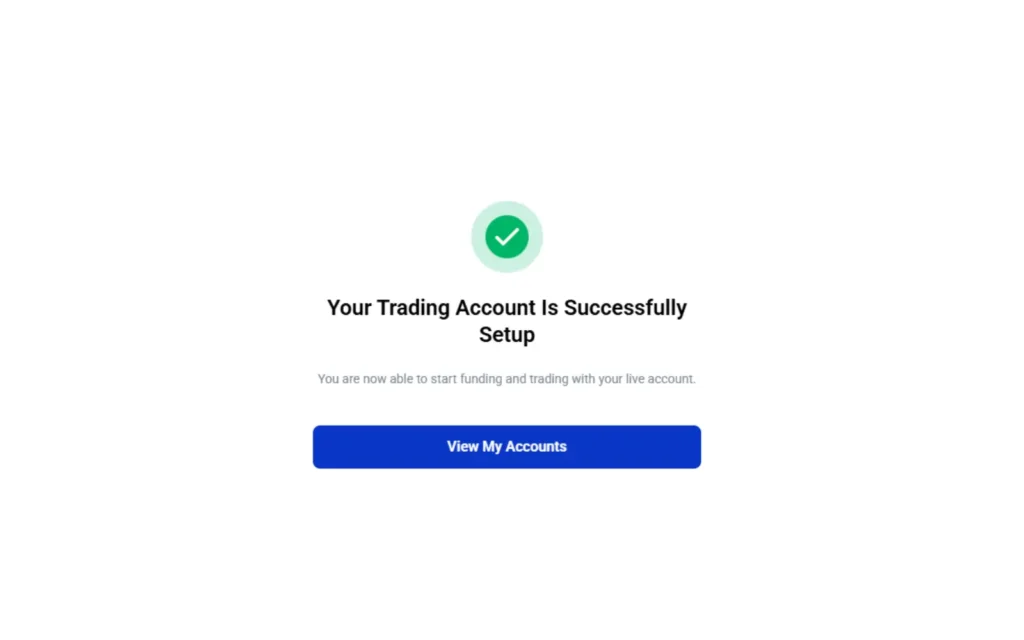
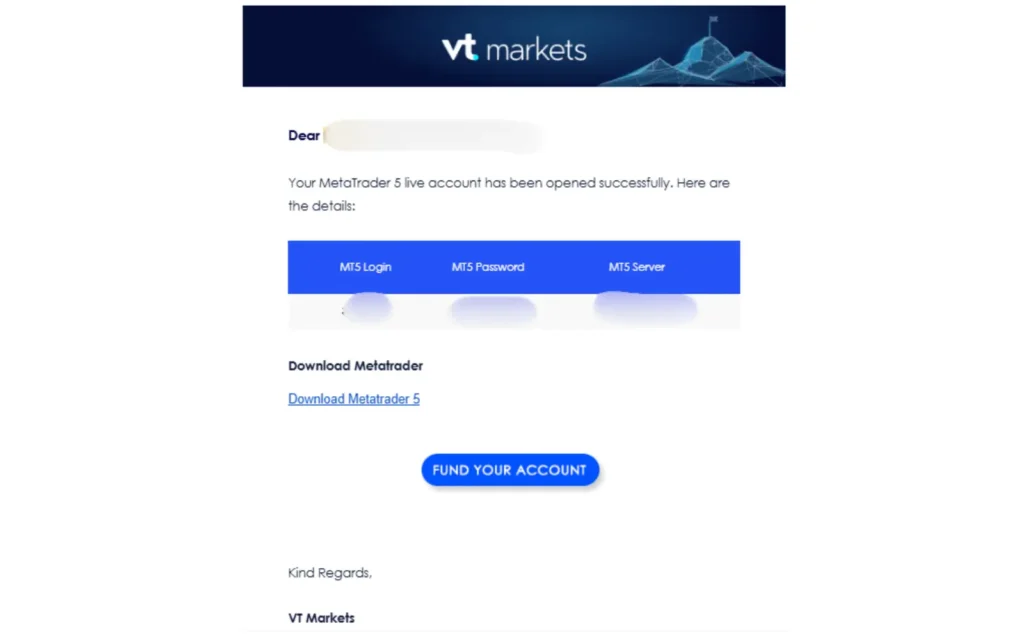
Your trading account has been created successfully!
09
Keep this email. You will need this account and password to connect and follow our signal
10
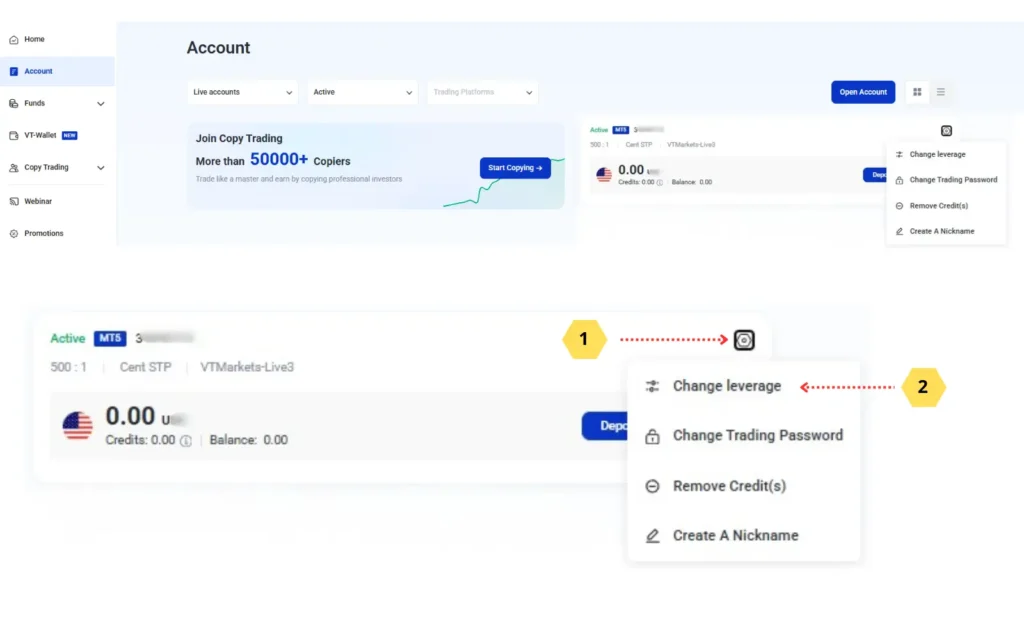
On the VT Markets website, click accounts, then the gear icon, and change the leverage
11
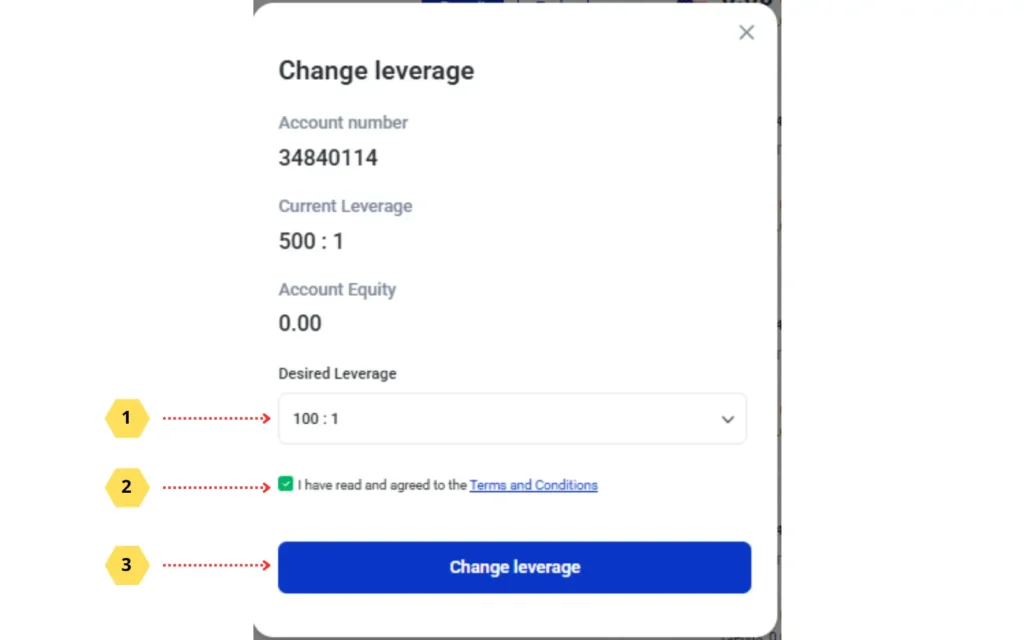
Select 1:100 and proceed
12
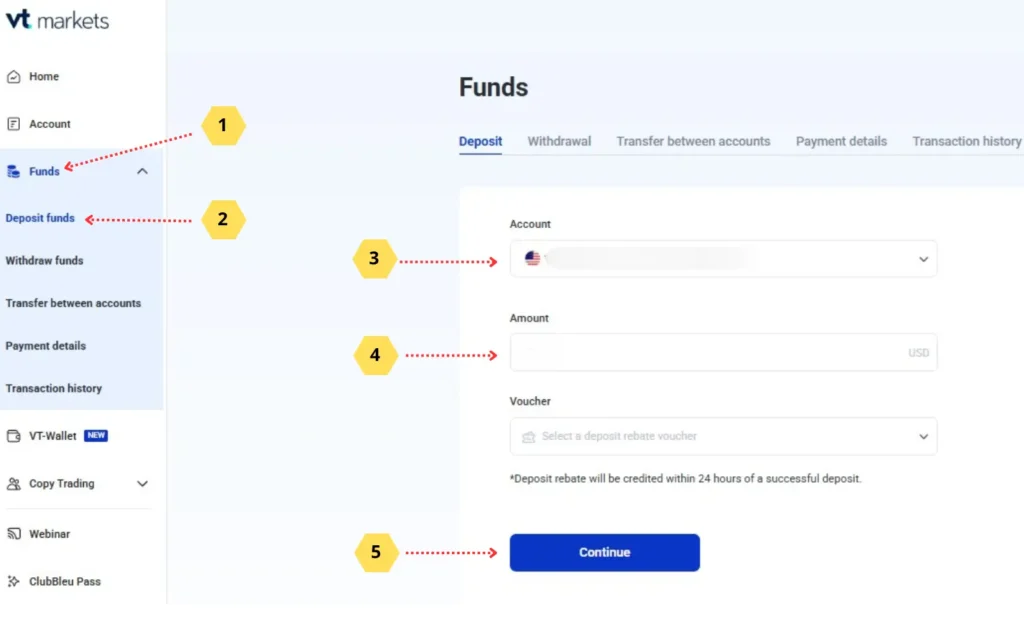
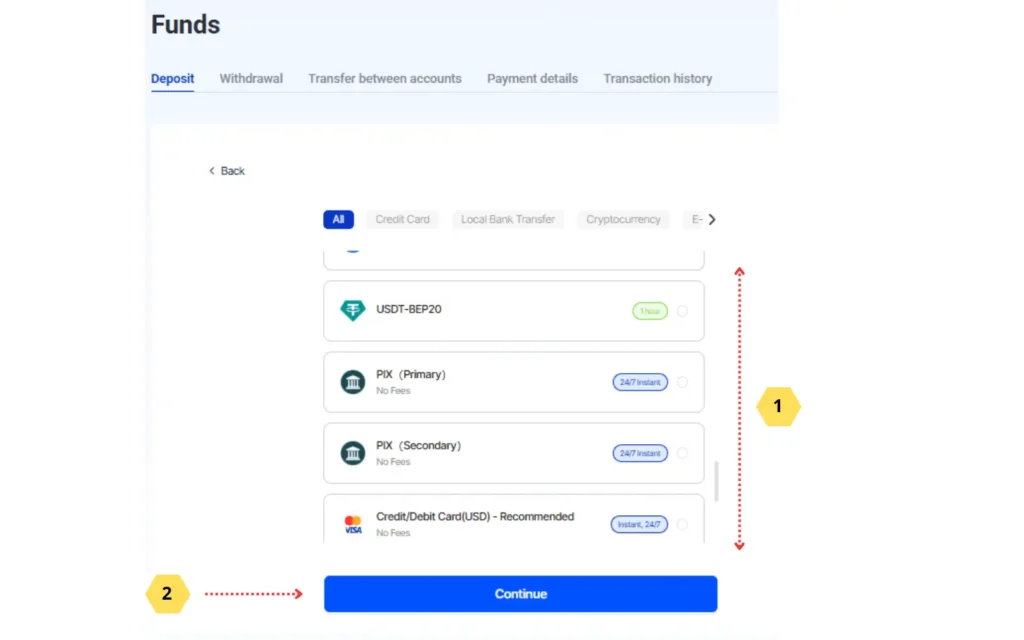
Now it is time to transfer the amount you have allocated to trading. Click funds, deposit funds, and complete the fields
13
Select the payment method that suits your circumstances. Complete the transfer
14
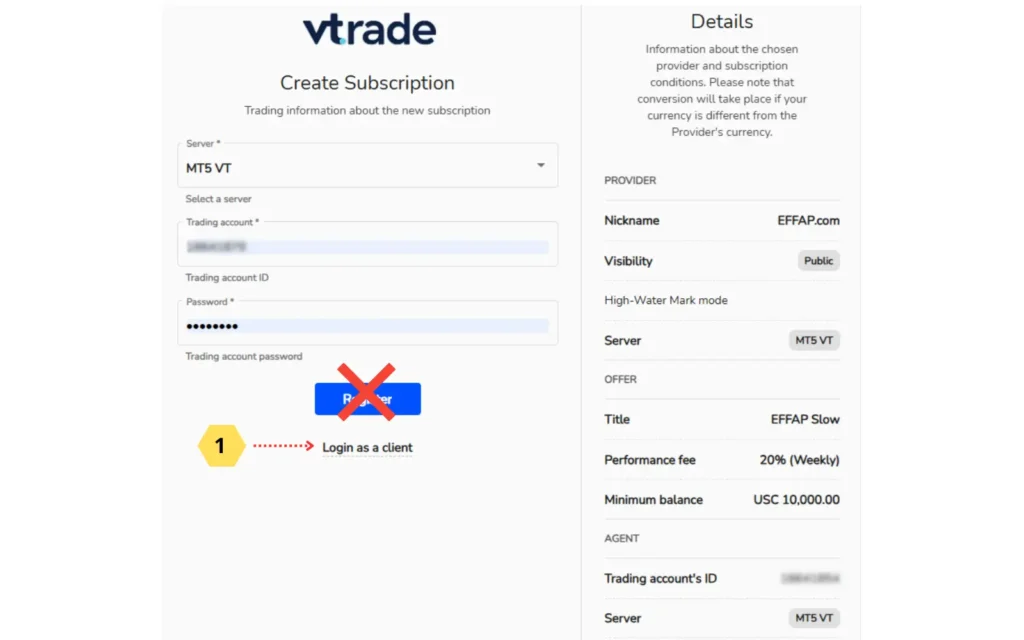
Click the button above and complete the fields as shown in the illustration
15
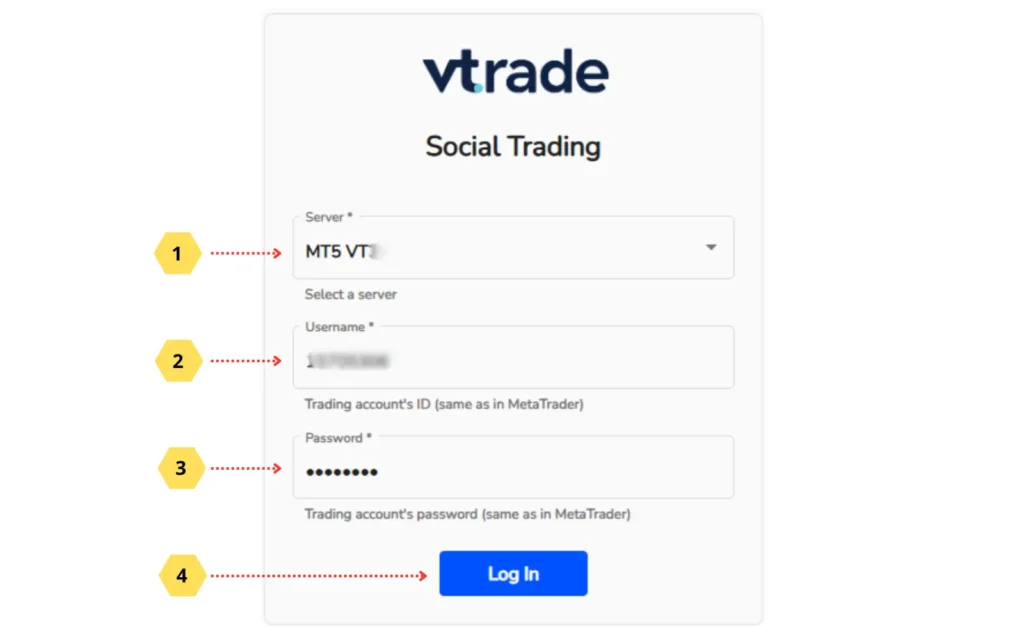
Complete the fields with the details of the account created on the broker’s website
16
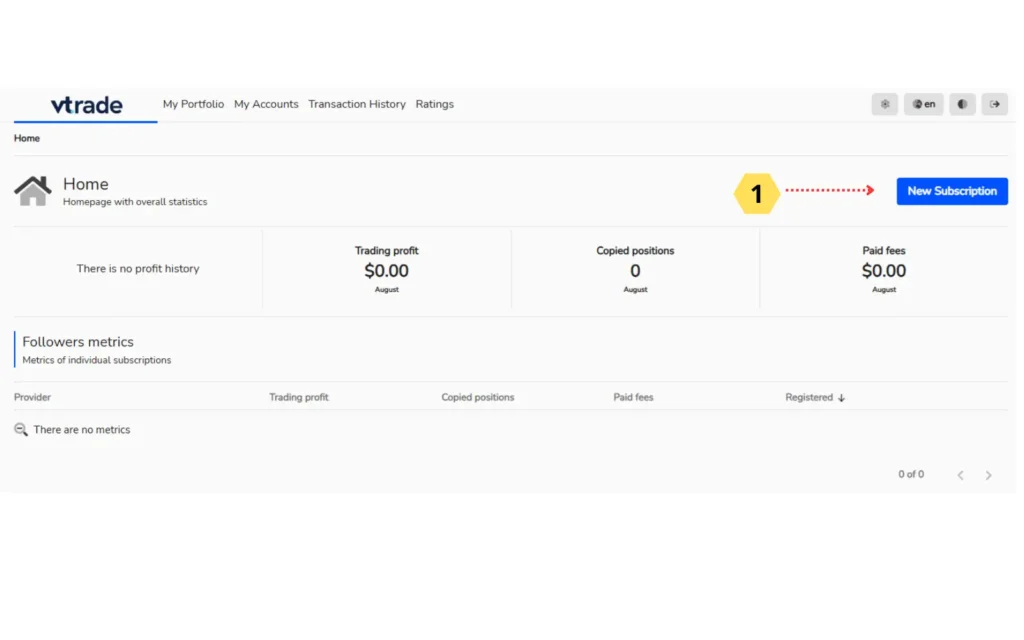
On the copy activation system homepage, click the button indicated in the image
17
Find our signal. Follow the illustration
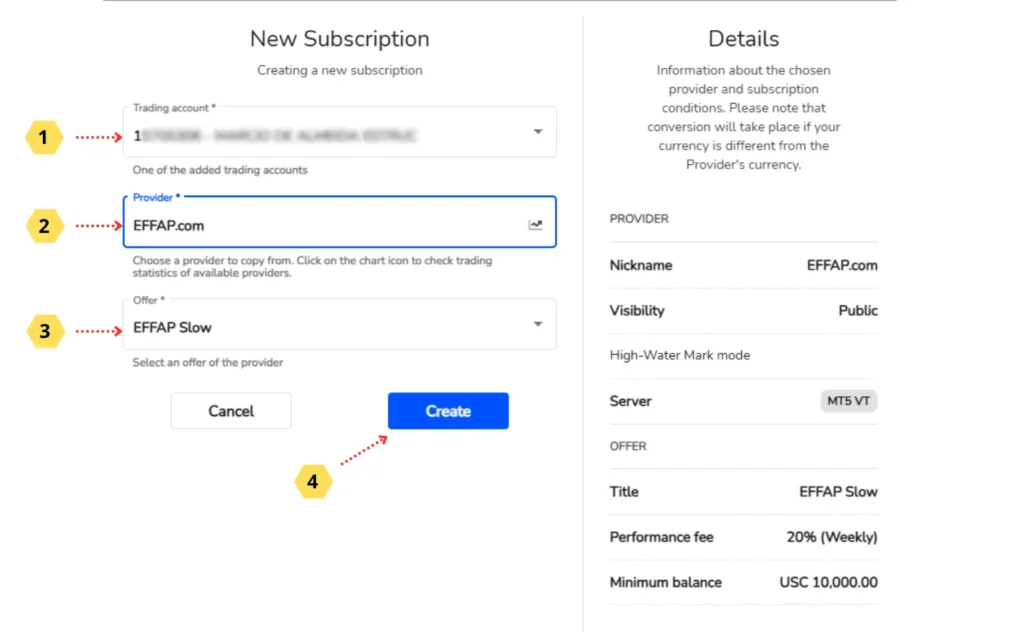
18Done! You are now part of the EFFAP copying team
Done! You are now part of the EFFAP copying team
Make sure Copy Trade is active, as shown in the illustration.
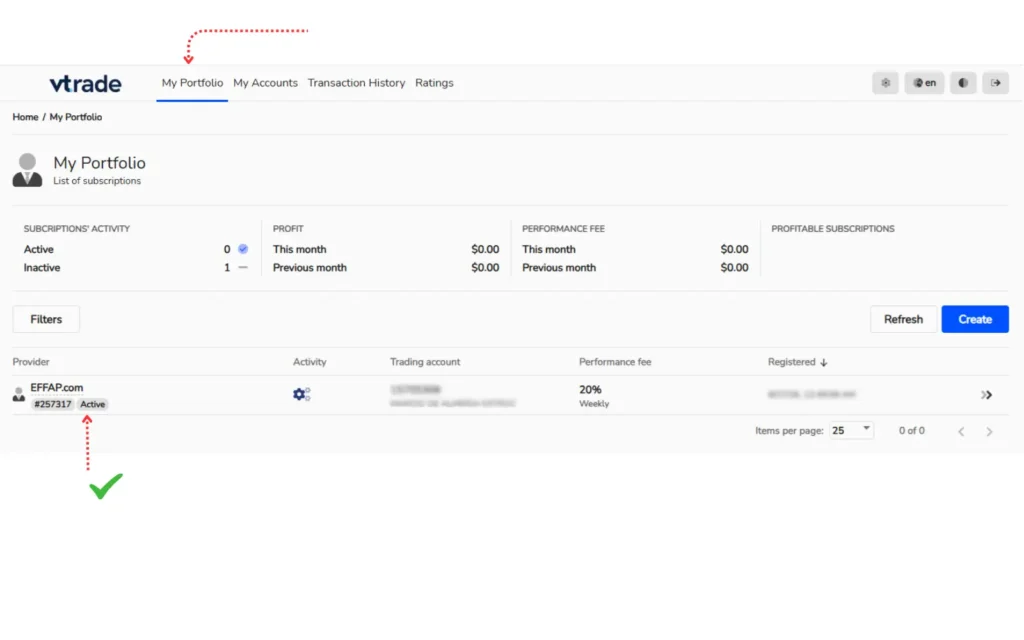
19
Click to download MetaTader5
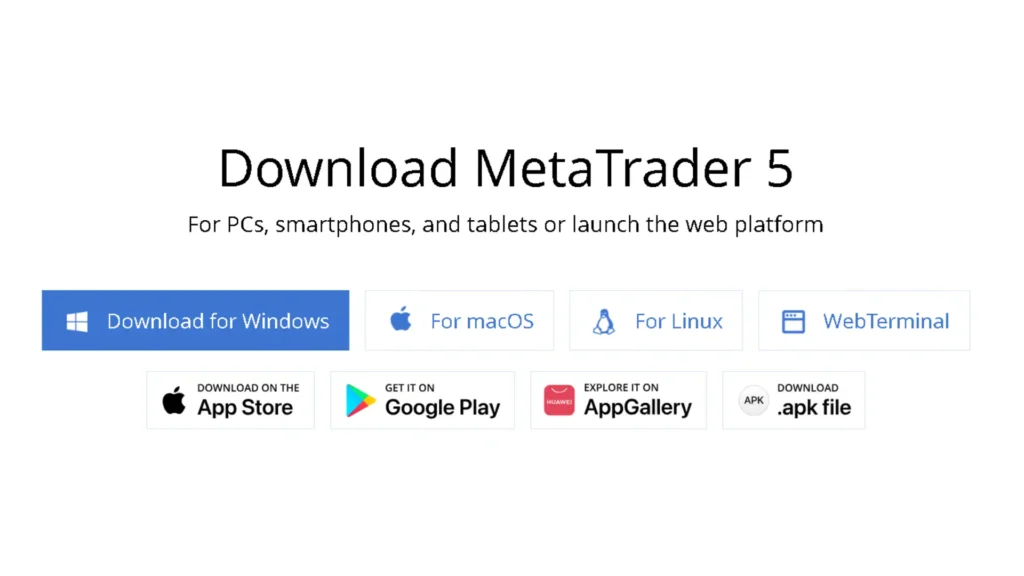
20
Follow the steps shown in the illustration
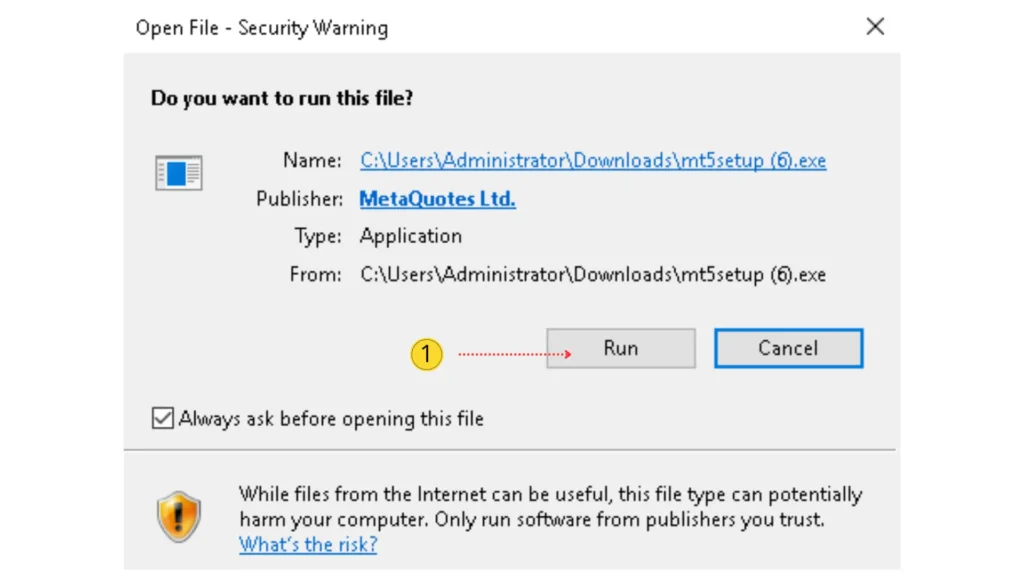
21
Click continue
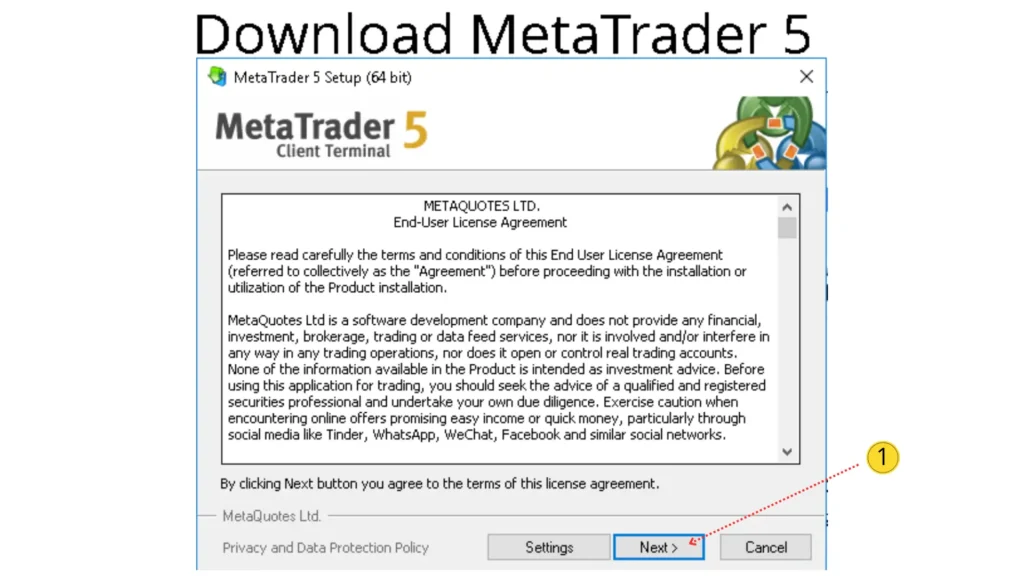
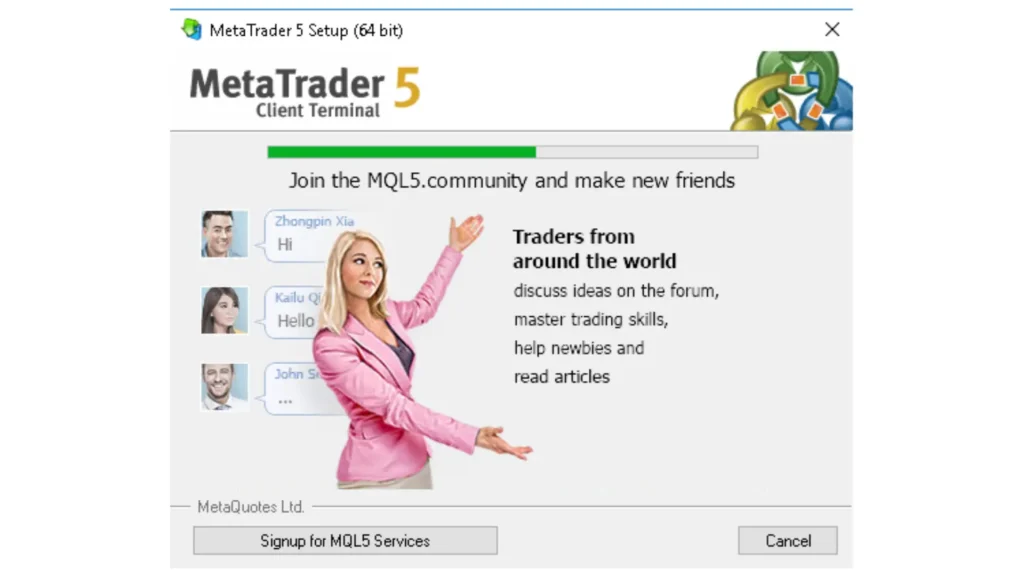
22Wait for the green bar to complete and click finish
Wait for the green bar to complete and click finish
Finish will appear in place of the cancel button
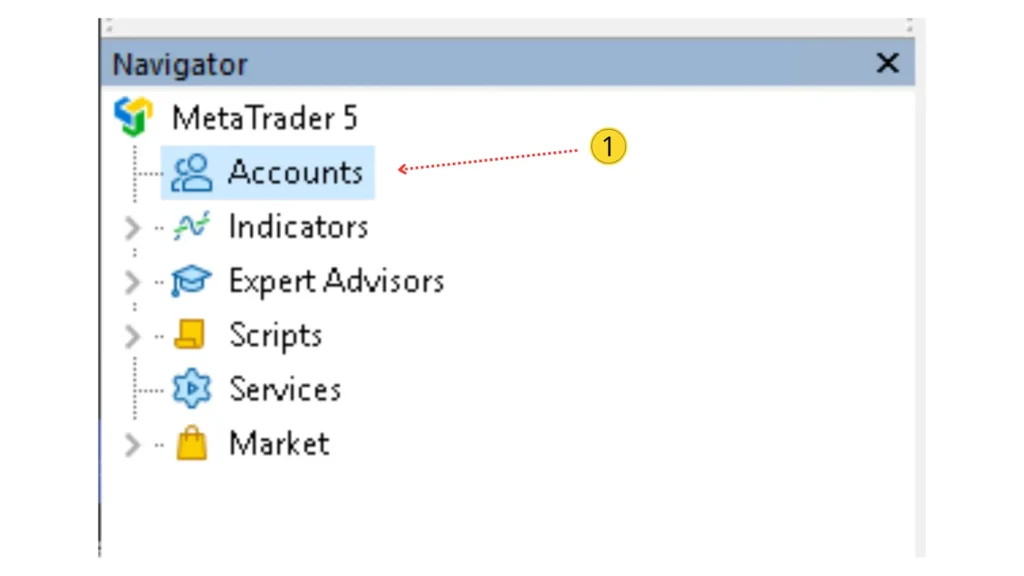
23
Right-click
24
Proceed as shown in the illustration
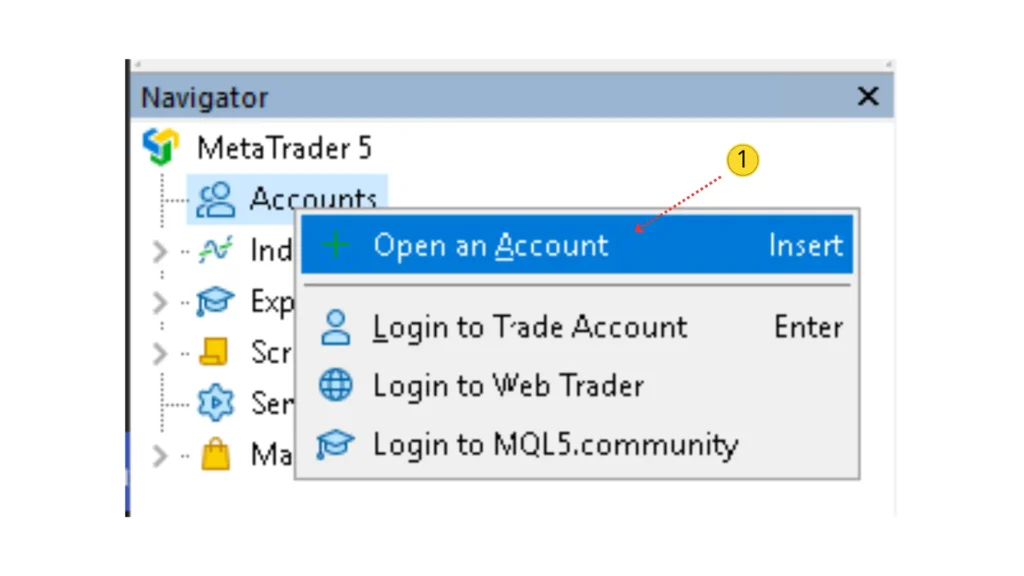
25
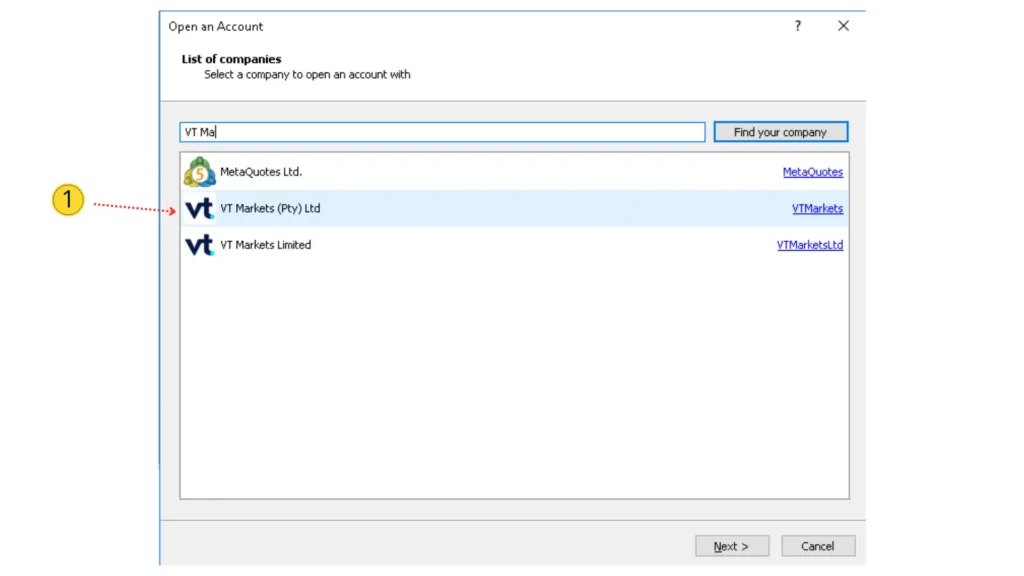
Select the broker and click next
26
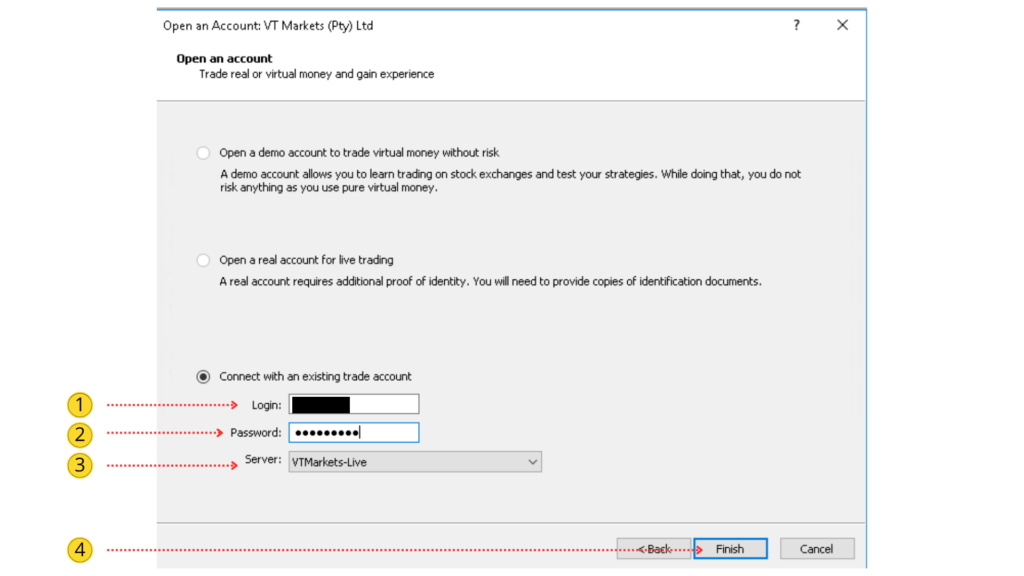
Enter the details of the account you created on the broker’s website
27
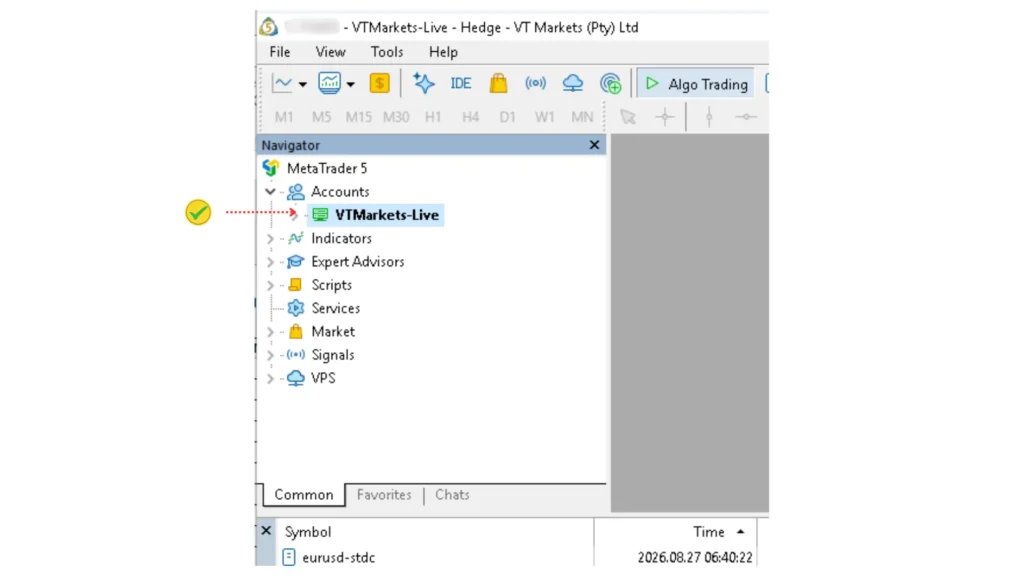
Done! Your account details will appear in MT5 as shown in the image
01
Put the sentence here
delete later
Lorem ipsum dolor sit amet, consectetur adipiscing elit. Ut elit tellus, luctus nec ullamcorper mattis, pulvinar dapibus leo.